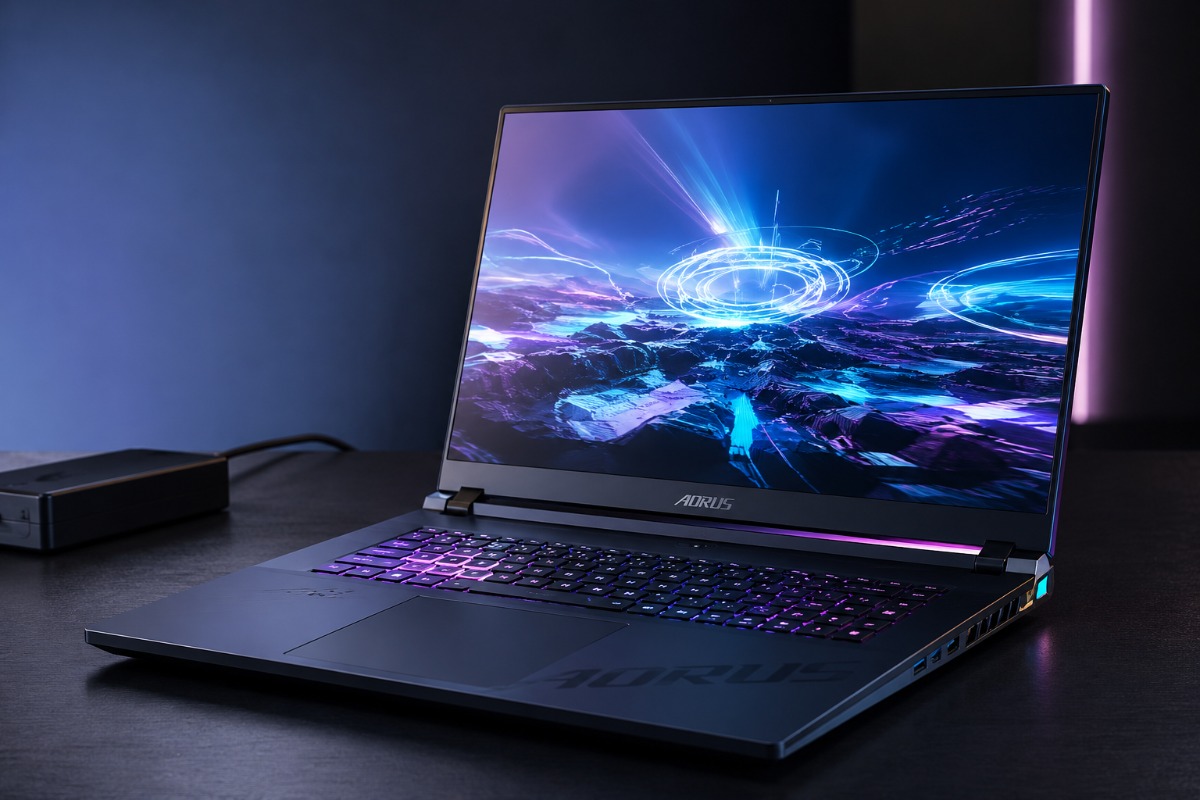
Gigabyte Aorus Master 16 Gen 2 review: Gigabyte fits flagship AMD and Nvidia hardware into a slim 16-inch chassis, but cooling noise and weak battery life remain serious costs.
Packing a 175W RTX 5090 Laptop GPU and AMD’s Ryzen 9 9955HX3D into a chassis measuring just 19mm at its thinnest point creates a severe thermal challenge. The Aorus Master 16 Gen 2 handles it better than its dimensions suggest, although it cannot escape the familiar compromises of flagship gaming laptops.
Gigabyte gives the CPU and GPU a combined power envelope of up to 230W through Dynamic Boost. The processor can draw about 55W while the graphics chip receives as much as 175W. That figure describes the shared system budget rather than 230W of power reserved for the GPU.
All this silicon sits inside a 2.39kg machine with a 240Hz OLED display, Wi-Fi 7, HDMI 2.1, Ethernet, USB4, USB Type-C, USB Type-A and a microSD reader. The laptop travels more easily than most 18-inch desktop replacements. Its 750g charger pushes the full carrying weight beyond 3kg.
The thinner design also brings a build-quality compromise. Pressure produces noticeable movement around parts of the lid and keyboard deck, which feels out of place on a machine at this price.
Flagship Hardware Delivers Real 1600p Performance
The Ryzen 9 9955HX3D brings 16 cores, 32 threads and 128MB of L3 cache through AMD’s 3D V-Cache technology. Adding 16MB of L2 cache produces 144MB of total cache.
That hardware gives the laptop considerable headroom for games, rendering and video production. It scored 514 in the Cinebench R26 single-core test and 8,734 in the multi-core run during independent testing. The RTX 5090 also approached its full 175W limit under graphics-focused workloads.
Pragmata remained above 100 frames per second at 2560 by 1600 with DLSS Super Resolution enabled and frame generation disabled. Testing also placed the system up to 35% ahead of some RTX 5080 laptops during demanding gaming scenarios, with the largest gains appearing under heavy ray tracing.
DLSS 4 gives supported games another route to higher displayed frame rates. Its main Blackwell feature is Multi Frame Generation, which creates multiple additional frames between traditionally rendered ones. The technology can make motion look much smoother, although input response still depends on the game’s underlying native performance.
The Cooling Works, But Everyone Will Hear It
Pushing 175W into a laptop GPU generates intense heat. Gigabyte’s vapour chamber prevents obvious throttling and keeps the keyboard reasonably comfortable, but the dual-fan system ramps up aggressively.
Reviewer Lindsay Handmer described it as “one of the loudest laptops I’ve tested at full load,” an assessment supported by another controlled test that recorded about 65 dBA during sustained stress. The sound includes a noticeable high-pitched tone rather than a softer rush of air. A gaming headset becomes a practical requirement during demanding sessions.
The shared power budget adds another complication. During simultaneous CPU and GPU stress, one test saw graphics power fall to roughly 115W because the processor consumed more of the available envelope. Full 175W GPU performance remains possible during graphics-focused loads, but workload balance affects how the system divides its power.
The OLED Screen Justifies More Than Gaming
The 2560 by 1600 OLED panel combines deep blacks, excellent contrast and a 240Hz refresh rate. Games look sharp and fluid, while darker scenes retain detail that many conventional laptop displays struggle to reproduce.
Nearly complete DCI-P3 coverage also makes the screen useful for video editors and creators. DisplayHDR True Black 1000 support strengthens highlights without sacrificing OLED’s natural black levels.
Factory calibration may vary between units. One review measured 99.8% DCI-P3 coverage but recorded a Delta E of 2.45 before manual calibration. Most users will find that acceptable, although professionals handling colour-critical work should calibrate their own panel.
Portability Ends When The Battery Takes Over
Gigabyte’s control software is less convincing than the hardware. Performance profiles do not always behave consistently, while sudden fan changes and uneven interface responses make routine tuning more frustrating than it should be.
The tested RTX 5090 configuration costs $4,299 or AU$6,599. That price sits within the premium range for slim RTX 5090 laptops, but the chassis flex, loud fans and unreliable control software weaken its value.
Battery life creates the clearest limit. Web browsing lasted under 2.5 hours, while video playback reached 3 hours and 46 minutes despite the large 99Wh battery. Full gaming performance also requires the 330W adapter.
The Aorus Master 16 Gen 2 is not a laptop for casual use on a sofa or café table. It is a powerful desktop replacement designed to move between desks. Buyers must bring a wall socket, a headset and a substantial budget.
Also Read: WD_BLACK SN7100 Deal Highlights the Surging Cost of PC Storage in 2026

Anup Singh is an independent technology journalist and content writer covering Apple, Android, AI, laptops, gaming, and the consumer tech industry. He focuses on delivering factual, well researched, and easy to understand reporting while explaining how new technologies impact everyday users.
1 thought on “Gigabyte Aorus Master 16 Gen 2 Review: Can RTX 5090 Really Go Portable?”