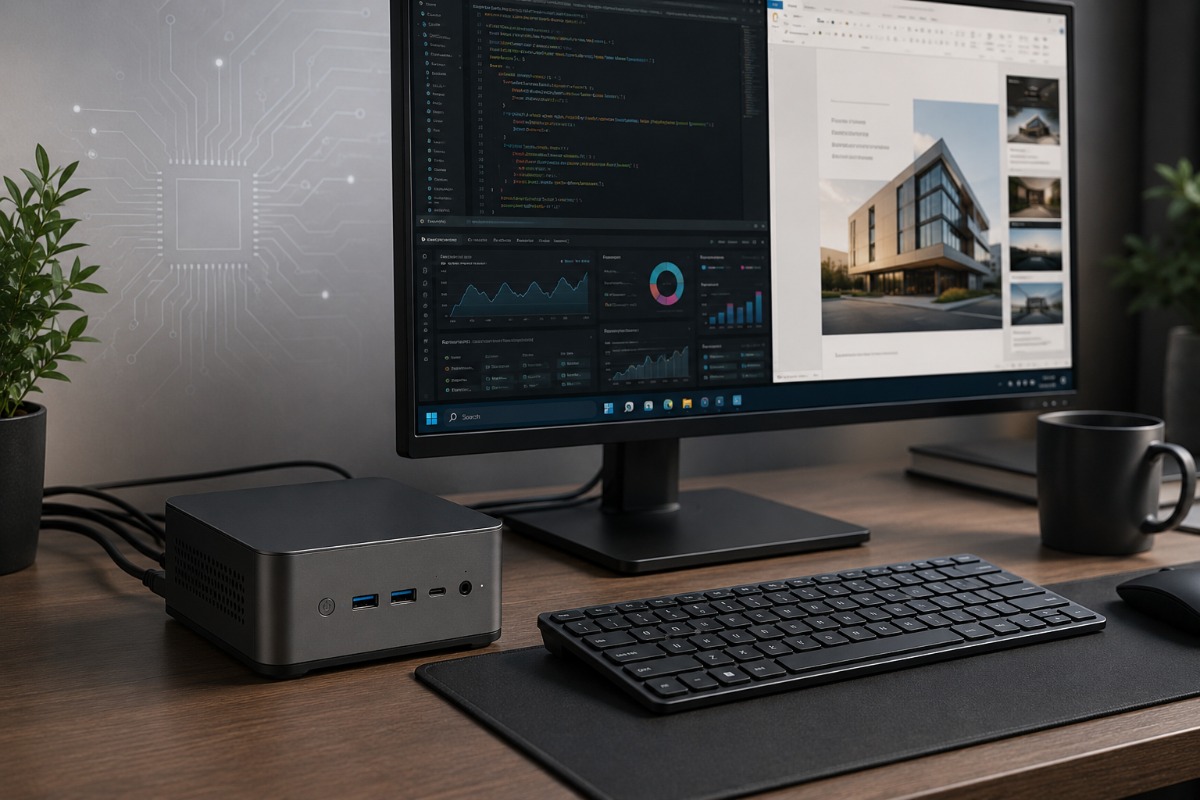
This Ryzen 7 micro desktop turns older laptop silicon into a serious space saving work machine, but buyers still need to understand the limits.
For years, buying a budget mini PC meant accepting slow browsing, tight storage and fans that sounded busier than the machine felt. The Origimagic N2 Pro changes that math by putting an AMD Ryzen 7 6800H, 32GB of DDR5 memory and 512GB of NVMe storage into a chassis small enough to disappear on a crowded desk.
This is a market analysis, not a lab tested primary review. No teardown, acoustic test or controlled benchmark run was performed on this exact retail unit. That distinction matters because the N2 Pro is being judged here by its hardware positioning, listed configuration, current pricing pressure and the wider mini PC market around it.
The processor matters, but not because it is new. A 2022 mobile chip built on AMD’s Zen 3 Plus architecture now sits at the center of this machine. In 2026, that makes it recycled premium laptop silicon rather than cutting edge hardware. The timing is exactly why the product is interesting. Parts once reserved for performance laptops have moved into lower cost micro desktops, giving budget buyers enough CPU power for real work without buying a tower.
The N2 Pro will not replace a serious gaming rig or heavy workstation. It can, however, bridge the gap between a sluggish low end desktop and a full size PC for many everyday users.
Older Laptop Silicon Still Has Plenty Of Use
Reviewers easily dismissed early mini PCs as mere browsing boxes because many relied on weak Celeron or entry level mobile chips. This model sits in a better class. The Ryzen 7 6800H brings 8 cores, 16 threads, a 3.2GHz base clock and boost speeds up to 4.7GHz.
Those numbers translate into useful headroom. Office apps, video calls, browser heavy workflows, coding tools and media tasks should not overwhelm this platform. The 32GB of DDR5 memory also helps. Many cheaper desktops still ship with 8GB or 16GB, which can feel cramped once users open a dozen browser tabs, Slack, Teams, spreadsheets and background utilities.
Storage is the first place where buyers should slow down. The N2 Pro is listed with a 512GB M.2 NVMe PCIe 3.0 x4 boot drive, and the available product information describes a second M.2 PCIe 4.0 x4 slot for extra storage. Some retail configurations identify that expansion slot as M.2 2242. This should be treated as a configuration claim, not a teardown finding. Without opening the exact retail unit being sold, shoppers should not assume every regional bundle exposes the same internal layout.
Origimagic claims the N2 Pro delivers “desktop power” in a compact mini PC.
That line is fair only if users define desktop power realistically. In practical terms, it means fast productivity, quick multitasking and strong everyday responsiveness. That does not mean workstation graphics or silent performance under every sustained load.
Connectivity Makes The Box More Useful
Raw speed gets most of the attention, but ports determine whether a small form factor PC feels practical after a week on a desk. Weak port selection quickly turns a tiny desktop into a tangled mess of dongles. The N2 Pro avoids much of that problem.
Its port layout includes 2 HDMI 2.0 outputs and 2 USB4 Type C ports. That combination allows support for up to 4 displays, which makes the system more serious for spreadsheets, coding, trading dashboards, light editing and remote work setups. Wireless and wired connections are both covered through WiFi 6E, Bluetooth 5.2 and 2.5G Ethernet.
USB4 is the most interesting part of the port list, but it also needs the clearest warning. Origimagic lists external graphics card support through USB4. That feature was not verified here with an external GPU dock, so buyers should treat it as a claimed capability rather than tested performance. Even when USB4 eGPU support works, it adds cost, clutter and compatibility variables. It also depends on the dock, GPU, cable, firmware and driver stack.
Gaming Needs Realistic Expectations
Radeon 680M remains one of the better integrated GPUs of its generation, but hard numbers make the limit clearer. Comparable Radeon 680M test systems have shown Overwatch 2 around 132 frames per second on low settings and Apex Legends around 100 frames per second on low settings at 1080p. Shadow of the Tomb Raider has landed around 42 frames per second on medium settings.
Those results are useful, but they are not magic. They show that the graphics can handle esports titles and older single player games when settings stay sensible. They also show why buyers should not confuse the N2 Pro with a true gaming desktop.
Demanding games still expose the ceiling quickly. Cyberpunk 2077, Starfield and newer AAA releases need reduced settings, lower resolution or upscaling to become playable, and even then the experience may not satisfy players used to dedicated graphics cards. For gaming, the N2 Pro is better understood as a work PC that can also play lighter titles, not a gaming machine hiding in a lunchbox chassis.
Creative work needs the same caution. Photo editing, basic video timelines and audio work are reasonable targets. Long 4K exports, heavy effects and 3D rendering can expose the limits of a mobile processor and integrated graphics. The machine has the CPU to attempt those jobs. It does not have the cooling volume or GPU muscle of a proper tower.
Buyer Beware Means More Than Checking Specs
Thermals and noise decide whether a mini PC feels premium or annoying. Origimagic advertises a quiet fan and cooling design, but no independent long run thermal or noise test was performed on this exact unit here. That matters because a 45 watt laptop chip in a tight chassis still has to shed heat through limited airflow.
Under sustained loads, the system may reduce clock speeds to stay within safe temperatures. That is thermal throttling in plain English: the chip slows down when heat builds. A short product demo can miss that behavior. Long video exports, repeated benchmark loops and extended game sessions are the tests that usually expose it.
Fan behavior also matters. A tower can sit under a desk. Mini PCs often live beside the monitor, closer to the user’s ears. Even a small fan can become noticeable during long installs, game sessions or video exports.
Brand support is the other compromise. Origimagic is a lesser known Amazon style seller, not a major PC vendor with a deep service network. The listing advertises a 2 year warranty and 24 hour customer service, but that does not answer every practical question. BIOS updates may be limited. Driver pages may be harder to find. Warranty claims could involve slower support or overseas shipping, depending on seller process and region.
Price should not be the only deciding factor. Return windows, warranty language, seller history and user reviews matter more with obscure mini PC brands than with established desktop makers.
Price Is The Whole Argument
The N2 Pro works only if it lands at the right discount. That discount needs a number attached to it. GMKtec’s M6 Ultra barebones model sits at $269.99, but that version ships without memory, storage or an operating system. A configured 32GB memory and 1TB SSD version has recently been reported at $550. Beelink’s SER8 8745HS, with 32GB memory and 1TB storage, lists at $639.
That gives the Origimagic a clear target. At around $399, the N2 Pro makes sense because it sits roughly $151 below the configured GMKtec comparison and about $240 below the Beelink SER8. Near $500, the argument gets tighter. Above that, buyers should demand newer silicon, more storage, better cooling evidence or stronger brand support.
The GMKtec comparison is especially important. Its M6 Ultra uses a newer Ryzen 5 7640HS, Radeon 760M graphics, DDR5 memory, USB4 and dual 2.5G Ethernet. In common 32GB memory and 1TB SSD configurations, it also gives shoppers more storage out of the box than the 512GB N2 Pro.
That leaves a simple verdict. If the Origimagic costs clearly less, the older Ryzen 7 6800H becomes a smart way to buy strong CPU performance on a budget. If the price creeps close to a newer GMKtec M6 Ultra or Beelink SER series machine, the value case weakens fast.
The N2 Pro is not interesting because it is cutting edge. It is interesting because it turns yesterday’s premium laptop chip into today’s affordable desk PC. That trade works only when the price stays honest.
For the right buyer, this machine is more than a novelty. It is proof that serious desktop speed no longer has to come in a tower.
Also Read: Nvidia’s 2021 RTX 3060 Is Back, Exposing A Broken GPU Market
FAQs
Q. Is the Origimagic N2 Pro a full review?
No. This article is a market analysis, not a lab tested review. It does not include teardown, acoustic or controlled benchmark testing.
Q. What processor does the Origimagic N2 Pro use?
The Origimagic N2 Pro uses an AMD Ryzen 7 6800H. It is an older 8 core laptop chip with strong everyday performance.
Q. Can the Origimagic N2 Pro replace a desktop tower?
It can replace a basic desktop for work, browsing and multitasking. It will not replace a serious gaming tower or workstation.
Q. Is the Origimagic N2 Pro good for gaming?
It can handle lighter games and older titles at sensible settings. Demanding AAA games need lowered settings or stronger graphics hardware.
Q. Why does price matter so much for the N2 Pro?
The N2 Pro uses older silicon. It only makes strong sense if it costs clearly less than newer GMKtec or Beelink rivals.

Anup Singh is an independent technology journalist and content writer covering Apple, Android, AI, laptops, gaming, and the consumer tech industry. He focuses on delivering factual, well researched, and easy to understand reporting while explaining how new technologies impact everyday users.
1 thought on “The Origimagic N2 Pro Proves Budget Mini PCs Aren’t Just For Web Browsing Anymore”