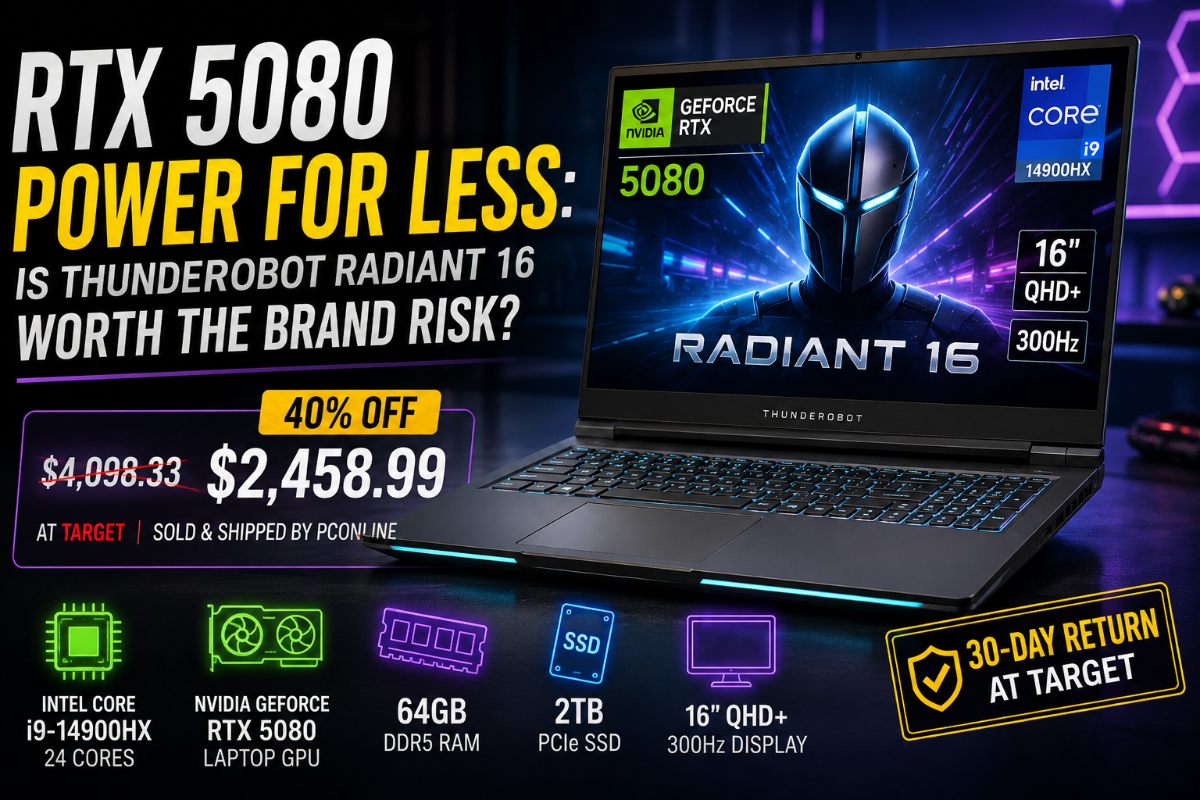
Thunderobot Radiant 16: A 40% discount puts premium gaming hardware within reach, but buyers need to read the seller terms before chasing the spec sheet.
You can currently buy an RTX 5080 gaming laptop with 64GB of RAM, a 300Hz display and 2TB of storage for far less than many familiar flagship systems. The catch is just as clear. The logo on the lid says Thunderobot, not Asus, Razer, Alienware, Lenovo or MSI.
Target lists this Radiant 16 configuration at $2,458.99. It packs an Intel Core i9-14900HX, Nvidia RTX 5080 Laptop GPU, 64GB of DDR5 RAM and a 2TB PCIe SSD. PCOnline sells and ships the unit through Target.
For enthusiasts, that combination is hard to ignore. For cautious buyers, it raises the real question behind every imported gaming laptop deal: how much support, polish and brand certainty are you willing to trade for raw hardware value?
The Spec Sheet Is The Easy Part To Like
The Radiant 16 does not hide what it wants to be. It is a high-power gaming laptop built around parts that look far more expensive than the sale price suggests.
The Core i9-14900HX gives it a 24-core mobile processor with enough headroom for gaming, streaming, video editing and heavy multitasking. The 64GB memory pool goes beyond what most games require today, but creators and power users will appreciate the extra room. A 2TB SSD also matters because modern PC games now commonly approach or exceed 150 gigabytes, especially once expansions, texture packs and updates are installed.
The display adds another reason the deal spread. A 16-inch, 2560 by 1600 panel gives more vertical space than a standard 16 by 9 screen. The 300Hz refresh rate targets competitive players who want fast motion and low input delay.
That refresh rate also needs context. In esports games, a laptop like this may push very high frame rates. In newer AAA games at 1600p with demanding settings, hitting 300 frames per second natively is a different problem. Nvidia’s DLSS 4 and Multi Frame Generation become more than bonus features here. They may be the practical route to making that high-refresh panel feel fully used in supported titles.
Thunderobot Is Not A Random Name, But It Is A Trust Test
Thunderobot may feel obscure to many Western buyers, but it is not a garage brand. The company is tied to Haier Group and presents itself globally as Haier’s esports hardware brand. That matters because it places the laptop inside a larger consumer-electronics ecosystem rather than a mystery storefront.
Still, the buyer experience in the United States is not the same as walking into a store and buying a Legion or ROG machine backed by a familiar service network. The Target listing is sold and shipped by PCOnline, not directly by Target as the manufacturer.
That changes the comfort level. Target’s return details give buyers 30 days to return the laptop to a Target store from the date it was bought in store, delivered, delivered by a Shipt shopper or picked up. That 30-day window is the practical testing period for thermals, fan noise, display quality, stability and any early hardware defects.
Longer-term support depends on the seller and warranty process. PCOnline’s own warranty instructions direct customers to contact its support team and ship a system to its service center when a claim moves forward. That is workable, but it is not the same as a local big-brand repair network with broad parts visibility.
A slashed price tag softens the financial hit. It does not buy peace of mind.
The Cooling Question Matters More Than The Logo
A spec sheet this stacked usually comes with a thermal bill. The Core i9-14900HX can draw serious power under turbo loads, and the RTX 5080 adds its own heat load inside the same chassis. A laptop can list flagship parts and still perform like a lower-tier machine if the cooling system cannot hold clocks under pressure.
That is why buyers should not stop at the GPU name. They should run Cinebench, monitor CPU and GPU temperatures with tools such as HWMonitor, and play a demanding game for at least an extended session before the return period expires. Sustained wattage, fan noise, keyboard heat and frame-rate stability matter more than one impressive screenshot.
Imported gaming laptops often come from established original-design manufacturer supply chains, including names such as Tongfang and Clevo across the wider market. That can produce perfectly capable machines. It can also create models where chassis design, firmware tuning and regional support vary more than shoppers expect.
The Radiant 16 may be powerful. It may also run loud under load. Without broad, repeatable testing of this exact RTX 5080 and 64GB configuration, the honest answer is caution rather than certainty.
Gamers Saw The Hardware Before The Risk
The laptop’s social-media reaction followed a familiar pattern. Gamers did not start with warranty terms. They saw the GPU, the memory, the display and the price.
“Where can I get this gaming laptop? I need one,” a user asked.
Other comments leaned into the same instinct. Some joked about whether it could run Roblox, GTA 6 or older games that barely challenge modern hardware. Another user simply called it better than their gaming PC.
That reaction explains why this kind of deal travels fast on Instagram and short-form video platforms. The value proposition is easy to understand in 3 seconds. RTX 5080. 64GB RAM. 300Hz screen. Big discount.
The problem is that short videos rarely explain seller terms, return rules, thermal limits or warranty logistics. They create desire faster than they create understanding.
This Is A High-Reward Purchase For The Right Buyer
The Thunderobot Radiant 16 is not a fake bargain on paper. The hardware is strong, the discount is large and the configuration targets exactly the kind of user who wants one machine for gaming, editing and streaming.
It is also not a casual purchase. A buyer spending nearly $2,500 should know what happens if the motherboard fails, the fans behave badly, the GPU power limit disappoints or a return becomes complicated after the 30-day testing window closes.
For the right enthusiast, this is a high-reward gamble. That means someone comfortable checking seller policies, reading warranty language, hunting for real benchmarks and troubleshooting drivers or firmware if needed.
For everyone else, the better move is patience. Wait for more independent testing, compare it against discounted Legion, ROG, Raider and Alienware models, then decide whether Thunderobot’s lower price is worth the extra homework.
The Radiant 16 is built to make bigger brands look expensive. Whether it becomes a smart buy depends on what happens after the benchmark ends.
Also Read: MSI’s Cyborg 17 Pairs A Massive Screen With A Heavily Constrained RTX 5060
FAQs
Q. Is the Thunderobot Radiant 16 a good RTX 5080 laptop deal?
It looks strong on paper because it packs premium hardware at a lower price. Buyers should still check thermals, warranty terms and seller support.
Q. Who sells the Thunderobot Radiant 16 at Target?
The article notes that PCOnline sells and ships the listed Radiant 16 configuration through Target.
Q. How long is the Target return window for this laptop?
The article says buyers get a 30-day return window. Use that time to test thermals, fan noise, stability and display quality.
Q. Why does the RTX 5080 need DLSS 4 on a 300Hz screen?
Modern AAA games may not hit 300 frames per second natively at 1600p. DLSS 4 can help improve frame rates in supported games.
Q. What should buyers test first on the Radiant 16?
Run Cinebench, monitor temperatures, check fan noise and play a demanding game for a long session before the return window closes.

Anup Singh is an independent technology journalist and content writer covering Apple, Android, AI, laptops, gaming, and the consumer tech industry. He focuses on delivering factual, well researched, and easy to understand reporting while explaining how new technologies impact everyday users.
2 thoughts on “RTX 5080 Power For Less: Is Thunderobot Radiant 16 Worth The Brand Risk?”